
Translating UI from Figma into Unreal Engine is rarely a one-to-one process.
Design systems are carefully crafted.
But in production, teams often rebuild every visual element manually borders, gradients, effects inside widgets.
That approach works.
It doesn’t scale.
Recently, we started developing one of the core components of a new project:
a modular UI material system inside Unreal Engine.
The goal is simple:
Translate Figma UI into Unreal with a more technical, art-driven, interactive feel
without recreating each element from scratch.
The Approach
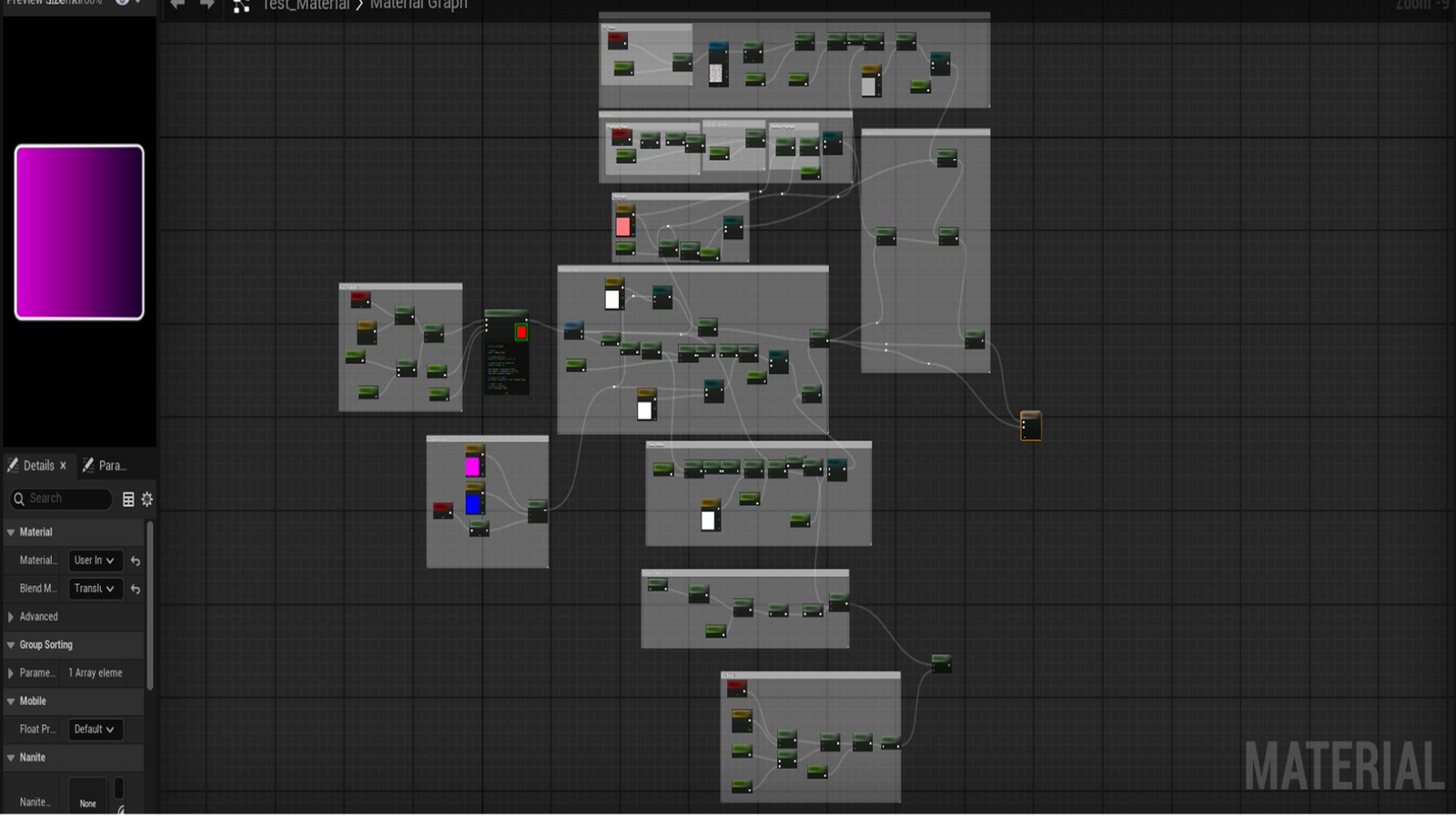
Instead of styling UI at the widget level, we moved visual logic into materials.
Widgets define structure.
Materials define appearance.
This allows us to centralize styling, expose parameters, and control variations directly inside the engine without duplicating visual work across screens.
Current System Capabilities
The system currently supports:
- Box and layout controls
Parameter-driven container rendering and scalable layout behavior. - Gradient logic
Procedural linear gradients with adjustable direction and color blending. - Border and border gradient variations
Solid and gradient borders with dynamic thickness and falloff. - Glass, frosted glass, and highlight effects
Layered material presets that add depth and interactive polish. - Shadow masking and dirt masking
Mask-based control for subtle depth, variation, and realism.
All effects are driven by exposed material parameters, allowing flexible styling without rebuilding UI components.
Production Impact
This approach keeps UI visuals consistent with the original design language.
More importantly, it improves workflow:
- Faster iteration when design changes
- Reduced duplication of visual logic
- Greater flexibility for technical artists
- Cleaner scalability across multiple screens
When the design evolves, we adjust material parameters not rebuild the interface.
Beyond Static UI
By treating UI as a material system rather than static assets, we unlock more interactive potential.
Visuals can respond to runtime states.
Effects can be animated directly inside the engine.
Styling remains cohesive across the entire project.
UI stops being a flat overlay.
It becomes part of the real-time experience.
